





Internal links are often one of the most overlooked parts of an SEO strategy. Website owners spend time creating new content, earning backlinks, improving page speed, and optimizing keywords. Yet many valuable pages remain disconnected from the rest of the website.
That is where a strong internal linking SEO strategy can make a meaningful difference.
When your pages are connected logically, search engines can better discover your content, understand the relationship between topics, and identify the pages that matter most on your website. At the same time, visitors can move from one useful resource to another without struggling to find the information they need.
The goal is not to place as many links as possible on every page. A successful approach is more strategic. Each link should have a clear purpose, provide relevant context, and help users and search engines navigate your site.
In this guide, we will explore how internal linking works, why it matters, how to build a scalable strategy, common mistakes to avoid, and advanced ways to strengthen your website structure.
Table of Contents
What Is Internal Linking SEO?
Internal linking refers to the practice of connecting one page of your website to another page on the same domain.
For example, a blog post about keyword research may link to another article about search intent. Since both pages belong to the same website, that connection is an internal link.
Internal linking SEO focuses on using these connections strategically to improve website structure, content discovery, topical relationships, and user navigation.
Internal links can appear in several places, including:
- Main navigation menus
- Blog content
- Category pages
- Breadcrumbs
- Footer navigation
- Related article sections
- Product and service pages
- Calls to action
Not every internal link carries the same strategic value. A navigation link helps visitors move through your website, while a contextual link within a relevant paragraph can provide additional information about the relationship between two topics.
The strongest internal linking strategy combines both usability and SEO value.
Why Internal Linking Matters for SEO and Rankings?
Internal links help create the structure that connects your website.
Think about a website with hundreds of pages but very few connections between them. Search engines may still discover some of those pages, but the relationship between important topics can be unclear. Visitors may also have difficulty finding relevant information.
A well planned internal linking structure solves these problems.
It Helps Search Engines Discover Important Pages
Search engines use links to discover pages across the web and within websites.
When you publish a new page and connect it from relevant existing pages, you create additional paths for crawlers to discover it. This can be particularly useful for pages that are buried deep within a large website.
Important pages should not depend on a single pathway for discovery. Relevant internal links can make them easier to reach through your overall site structure.
It Helps Establish Topic Relationships
Search engines need to understand more than individual keywords.
They also need context.
For example, if your website contains pages about:
- Keyword research
- Search intent
- On page optimization
- Technical SEO
- Link building
Connecting these pages in a logical way helps create a clearer topical structure.
A page about keyword research might link to search intent because the two subjects are closely connected. It may also link to on page optimization because keyword research supports content optimization.
These connections help reinforce the relationship between your content.
It Can Highlight Important Pages
Some pages are more important to your business than others.
You may want to prioritize:
- Core service pages
- Important product pages
- Pillar content
- High conversion pages
- Strategic category pages
Your internal linking structure should reflect these priorities.
If an important page receives relevant internal links from multiple useful pages, it becomes more integrated into the website.
However, relevance matters. Linking every page to a target page simply to increase internal links can create a poor experience. A strong internal linking SEO strategy focuses on meaningful connections.
It Improves User Navigation
SEO and user experience should not work against each other.
When readers finish one section of an article, they may naturally want to learn more about a related topic. A relevant internal link gives them a clear next step.
This can help visitors:
- Discover additional resources
- Understand complex topics
- Explore related services
- Find products more easily
- Continue their journey through your website
The best internal links do not interrupt the reading experience. They feel useful because they appear when the reader is likely to need more information.
How Search Engines Understand Internal Links
To build an effective strategy, it helps to understand the information internal links can communicate.
Internal Links and Crawling
Search engines discover content through links.
If a page has no meaningful connection from other crawlable pages, it may be harder to discover through the normal structure of your website.
This is why orphan pages can become a problem.
An orphan page is a page that exists but has little or no internal linking path from the rest of the website. Even if the page is included in a sitemap, relying only on a sitemap is not always the best approach for creating a strong website structure.
Important pages should generally have logical internal paths.
Internal Links and Context
- The surrounding content of a link provides context.
- Suppose you are discussing how to find the right search terms for a website. Linking to a detailed guide about keyword research provides a clear relationship between the source and destination.
- A random link to an unrelated topic would provide much less value.
- Context helps both users and search engines understand why a page is being referenced.
Internal Links and Anchor Text
Anchor text is the clickable text used in a hyperlink.
Descriptive anchor text can help users understand what they will find after clicking.
For example, a phrase such as:
learn more about keyword research strategies
is generally more informative than:
click here
The goal is not to force exact match keywords into every anchor. Natural language and descriptive wording usually create a better experience.
Internal Links and Website Hierarchy
A well organized website often has a logical hierarchy.
For example:
Homepage
Category or primary topic
Pillar page
Supporting articles
Specific subtopics
This structure makes it easier to understand where individual pages fit within the broader website.
How to Build an Effective Internal Linking Strategy
Creating a strong strategy requires more than adding links whenever you publish a new article.
You need a process.
Step 1: Identify Your Most Important Pages
Start by deciding which pages matter most.
These may include:
- Primary service pages
- Product pages
- Pillar pages
- High value informational content
- Pages with strong conversion potential
- Strategic landing pages
Create a list of priority pages and consider factors such as:
- Business value
- Organic search opportunity
- Current rankings
- Conversion potential
- Topical importance
Once you know which pages matter most, you can look for relevant internal linking opportunities that support them.
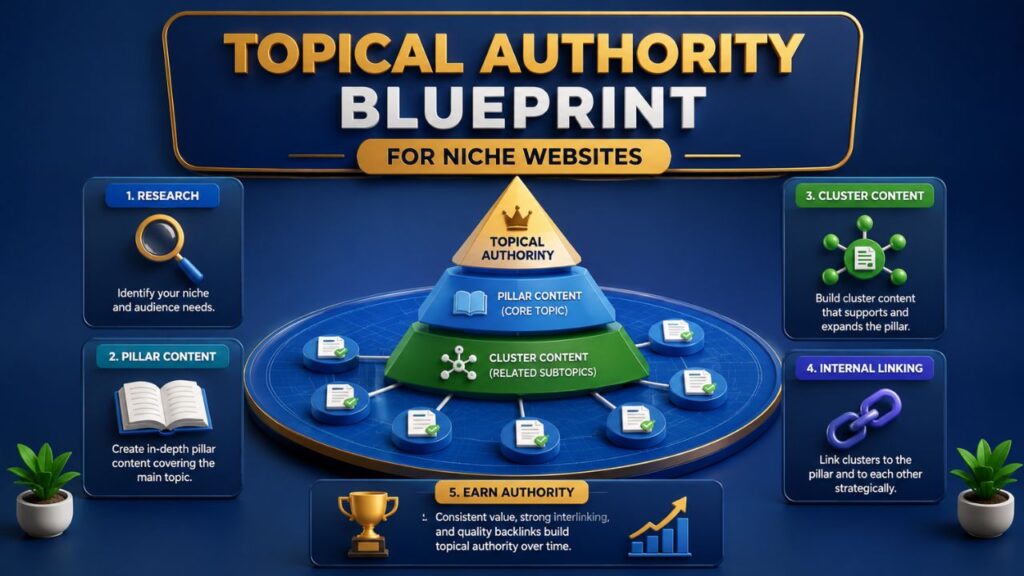
Step 2: Organize Content Into Topic Clusters
Topic clusters help create a clear relationship between a broad subject and its supporting content.
For example, a website focused on SEO may have a pillar page about SEO strategies.
Supporting articles could cover:
- Keyword research
- Technical SEO
- On page optimization
- Internal linking
- Link building
- Local SEO
The pillar page can link to relevant supporting pages. Supporting pages can also link back to the pillar page when appropriate.
Related supporting pages may link to each other if the connection provides value.
This creates a stronger and more organized content ecosystem.
Step 3: Find Relevant Internal Linking Opportunities
Before adding a link, ask a simple question:
Will this destination help the reader understand the current topic better?
If the answer is yes, the link may be useful.
You can identify opportunities by reviewing:
- Existing blog posts
- Service pages
- Category pages
- Resource pages
- High traffic content
- Newly published articles
You can also use a search operator such as:
site:yourdomain.com “target topic”
This can help you find pages that already mention a relevant subject.
For example, if you publish a new guide about technical SEO, search your website for articles that already discuss:
- Website crawling
- Indexing
- Page speed
- Structured data
- XML sitemaps
Those pages may offer natural linking opportunities.
Step 4: Choose Relevant Anchor Text
Anchor text should help explain the destination page.
Good internal anchors are usually:
- Relevant
- Descriptive
- Natural
- Helpful to readers
You do not need to repeat the exact same keyword every time.
Instead, use natural variations.
For example, a page about internal links could receive anchors such as:
- internal linking strategy
- internal links for SEO
- improve your website structure
- internal linking best practices
- guide to internal links
Variation can make the content read naturally while providing clear context.
Step 5: Add Links Within Relevant Context
- Contextual links are placed within the main content where the linked page directly relates to the discussion.
- For example, if you are explaining orphan pages, linking to a detailed guide about finding and fixing orphan pages can help readers continue learning.
- The link has a clear purpose.
- Avoid adding links simply because a keyword appears on the page. The surrounding topic should make the connection logical.
Step 6: Use Strong Existing Pages Strategically
- Some pages already receive more organic traffic, backlinks, or visibility than others.
- Review those pages to identify relevant opportunities to connect readers with other important resources.
- However, do not add unrelated links simply because a page is performing well.
- The best strategy combines page importance with topical relevance.
- That is a central principle of effective internal linking SEO.
The Best Internal Linking Structure for SEO
There is no single structure that works perfectly for every website. The right approach depends on your website size, content type, and business goals.
However, several models can help you organize content effectively.
Flat Website Architecture
- A flat structure aims to keep important pages reasonably easy to reach.
- Visitors and search engines should not need to move through unnecessary layers to access valuable content.
- This does not mean every page must link directly to every other page.
- Instead, it means your website should avoid creating unnecessary depth for important content.
Hierarchical Website Architecture
A hierarchy organizes content from broad topics to more specific topics.
For example:
Homepage
SEO
Technical SEO
Technical SEO Audit
Technical SEO Checklist
Each level provides more detail.
This structure can help users understand how pages relate to one another.
Hub and Spoke Structure
- A hub page focuses on a broad topic.
- Spoke pages cover individual subtopics.
- The hub links to relevant spokes, and the spokes may link back to the hub.
- This structure works particularly well for large content strategies.
Content Silo Structure
A silo groups closely related content together.
For example, an ecommerce website may organize content around:
- Product categories
- Product types
- Buying guides
- Related accessories
The goal is not to create rigid barriers between topics. Relevant pages can still connect when the relationship makes sense.
How Many Internal Links Should You Add to a Page?
There is no universal number.
The right number depends on:
- Page length
- Topic complexity
- Number of relevant resources
- Website size
- User needs
A 500 word page and a 5,000 word guide should not necessarily contain the same number of links.
Instead of asking, “How many links should I add?” ask:
- Does this link provide useful information?
- Is the destination relevant?
- Does the anchor clearly describe the page?
- Does the link improve the reader’s journey?
If every link has a purpose, your internal linking structure is more likely to remain useful as your website grows.
Internal Linking SEO Best Practices
A successful internal linking strategy should follow a few clear principles.
Link Related Topics
The strongest connections usually exist between pages that discuss related subjects.
Do not force links between unrelated pages.
Use Descriptive Anchor Text
Readers should have a reasonable idea of what to expect before clicking.
Avoid relying on generic phrases throughout your website.
Prioritize Important Pages
Your highest value pages should not be isolated from the rest of the website.
Find relevant opportunities to connect them with supporting content.
Build Topic Clusters
Organize content around broader themes.
Connect pillar content with supporting resources where appropriate.
Keep Important Pages Accessible
Review how many steps are required to reach important pages from your main website structure.
If valuable pages are unnecessarily buried, look for ways to improve their accessibility.
Fix Broken Internal Links
Broken links create a poor experience.
Regularly review your website for internal links that lead to unavailable pages.
Avoid Unnecessary Redirect Chains
Where possible, update internal links so they point directly to the final destination instead of sending users and crawlers through unnecessary redirects.
Review Orphan Pages
A valuable page should not sit alone without meaningful connections to the rest of your website.
Regular audits can help identify isolated content.
Update Older Content
Publishing new content creates new opportunities.
When you publish a new article, review older relevant pages and consider whether they should link to it.
This turns content publishing into an ongoing internal linking SEO process rather than a one time task.
How to Find Internal Linking Opportunities on an Existing Website
If your website already has dozens or hundreds of pages, manually reviewing everything can feel overwhelming.
A structured approach makes the process easier.
Start With a Content Inventory
Create a list of your important URLs.
Then group them by topic.
For example:
SEO
- Keyword research
- Technical SEO
- On page SEO
- Internal linking
Content marketing
- Content strategy
- Content optimization
- Topic research
This helps you see which pages naturally belong together.
Identify Pages With Few Internal Links
Some pages may receive very few internal links.
Review whether those pages are:
- Important
- Relevant to existing topics
- Valuable for users
- Accidentally isolated
If a page deserves more visibility within your website, identify relevant source pages that can link to it.
Review High Visibility Pages
- Pages with strong traffic can become useful entry points.
- Look for relevant places where readers may benefit from discovering additional content.
- The focus should remain on relevance rather than simply adding links.
Review Pages With Ranking Potential
- Some pages may already appear in search results but have not reached their full potential.
- Review their content quality, search intent alignment, topical coverage, technical health, and internal connections.
- Internal links are only one part of SEO, but they can support a broader optimization strategy.
Use Content Updates as Opportunities
Every new article should trigger a simple question:
Which existing pages should connect to this new content?
You can also ask:
What older content can this new page link to?
This two way review can create a more connected website over time.
Common Internal Linking Mistakes to Avoid
A poor strategy can make your website difficult to navigate.
Here are some common mistakes.
Adding Too Many Irrelevant Links
- More links do not automatically mean a better strategy.
- If a page contains links that have no relationship to the topic, users may ignore them.
Using the Same Anchor Text Repeatedly
- Repeating identical anchor text throughout a website can make content feel unnatural.
- Use descriptive variations where appropriate.
Linking Everything to the Homepage
- The homepage is important, but users often need access to deeper and more specific resources.
- Your internal links should support the full website.
Ignoring Deep Pages
- Older articles and deep pages can become difficult to discover.
- Review whether valuable content needs stronger connections.
Creating Orphan Pages
- Pages without meaningful internal links can become disconnected from the website.
- Identify and address them during regular audits.
Using Broken Links
- A broken internal link creates an unnecessary barrier.
- Monitor and fix them regularly.
Creating Long Redirect Paths
If an internal link points to a redirected URL, update it when possible to point directly to the intended destination.
Linking Only for Search Engines
- If your links do not help real users, your strategy may become artificial.
- Good internal linking SEO should support both search engines and people.
Advanced Internal Linking Strategies
Once you have a solid foundation, you can make your strategy more systematic.
Strengthen Topic Clusters
Review every major topic on your website.
Ask:
- Do we have a clear pillar resource?
- Are supporting pages connected to it?
- Are related subtopics connected where useful?
- Are important pages isolated?
This can reveal structural gaps.
Improve Valuable Underperforming Pages
- Identify pages that are important but not receiving the visibility you expected.
- Then look for relevant pages that can naturally reference them.
- Do not treat internal linking as a shortcut to rankings. Instead, use it as part of a broader optimization process.
- The page itself must still satisfy search intent and provide useful content.
Create Natural Two Way Connections
In some situations, Page A and Page B both benefit from linking to each other.
For example:
A keyword research guide may link to a search intent guide.
The search intent guide may link back to keyword research if the connection is equally useful.
The key is relevance.
Build Internal Linking Into Your Publishing Process
Do not wait six months before reviewing your links.
When you publish a new page:
- Identify related older content.
- Add relevant links from older pages.
- Link from the new page to useful existing resources.
- Review the new page’s position within the topic cluster.
- Check whether important pages are easy to reach.
This process makes internal linking scalable.
Internal Linking for Different Types of Websites
Different websites require different approaches.
Internal Linking for Blogs
Blogs benefit from strong relationships between:
- Pillar articles
- Supporting articles
- Related guides
- Category pages
Contextual links are particularly useful because they help readers move deeper into a subject.
Internal Linking for Ecommerce Websites
Ecommerce websites can connect:
- Categories
- Subcategories
- Products
- Buying guides
- Related products
- Supporting content
The structure should help shoppers discover relevant options without overwhelming them.
Internal Linking for Service Websites
Service websites can connect:
- Core services
- Supporting services
- Industry pages
- Location pages
- Educational resources
For example, a page about SEO services may link to relevant resources explaining technical SEO, keyword research, or content optimization.
Internal Linking for Large Websites
Large websites require a more systematic approach.
Manual linking alone may not be enough.
You may need to regularly monitor:
- Orphan pages
- Crawl depth
- Broken links
- Redirect chains
- Category structure
- Internal link distribution
As the website grows, consistency becomes more important.
How to Audit Your Internal Linking Structure
A regular audit helps you identify weaknesses before they become larger problems.
Step 1: Crawl Your Website
Use a reliable crawling tool to identify:
- Broken internal links
- Redirected internal links
- Orphan pages
- Deep pages
- Pages with very few internal connections
Create a list of issues before making changes.
Step 2: Identify Priority Pages
Compare your internal structure with your business priorities.
Ask:
- Are our most important pages easy to reach?
- Do they receive relevant internal links?
- Are supporting articles connected to them?
Step 3: Review Topic Relationships
Look at each major content category.
Identify pages that discuss similar topics but are not connected.
Not every related page needs a link, but meaningful relationships should not be overlooked.
Step 4: Review Anchor Text
Check whether anchor text is:
- Descriptive
- Relevant
- Natural
- Helpful
Look for excessive repetition and generic anchors.
Step 5: Create an Action Plan
Prioritize issues based on impact.
Start with:
- Broken internal links
- Orphan pages
- Important pages with weak internal connections
- Relevant topic cluster gaps
- Redirected internal links
This makes your internal linking SEO strategy easier to manage.
A Simple Monthly Internal Linking Workflow
You do not need to rebuild your website structure every month.
Instead, create a repeatable process.
Week 1: Review New Content
Check recently published pages.
Add relevant links to and from existing content.
Week 2: Review Priority Pages
Make sure your important commercial and informational pages are properly connected.
Week 3: Find Structural Problems
Look for:
- Broken links
- Orphan pages
- Deep pages
- Unnecessary redirects
Week 4: Review Performance
Monitor important pages and identify content that may need broader optimization.
Repeat the process.
Over time, these small improvements can create a much stronger website structure.
Internal Linking SEO Checklist
Use this checklist when reviewing your website.
- Every important page has relevant internal links.
- New content links to related existing content.
- Important pillar pages connect with supporting resources.
- Anchor text clearly describes the destination.
- Broken internal links are fixed.
- Redirect chains are minimized.
- Orphan pages are reviewed.
- Important pages are not unnecessarily buried.
- Contextual links are relevant to the surrounding content.
- Older content is updated when new relevant resources are published.
- Internal links help users as well as search engines.
Conclusion
A well planned internal linking strategy can strengthen your website structure, connect related topics, and make it easier for users and search engines to discover important pages. The key is to focus on relevance rather than simply adding more links.
Start by identifying your most valuable pages, organizing content into clear topic clusters, and adding contextual links where they genuinely help readers. Regularly review orphan pages, broken links, redirect chains, and outdated content to keep your website structure healthy.
Effective internal linking SEO is an ongoing process, not a one time task. As you publish new content and expand your website, continue building meaningful connections between relevant pages. When your internal links support both user experience and clear site architecture, they can become a valuable part of your long term SEO strategy.
Frequently Asked Questions About Internal Linking SEO
What is internal linking in SEO?
Internal linking is the process of connecting one page of a website to another page on the same domain. It can help users and search engines navigate the website and understand relationships between content.
How many internal links should a page have?
There is no fixed number that works for every page. The right number depends on the page length, topic, available relevant content, and user needs. Focus on adding useful links rather than trying to reach a specific number.
Do internal links help improve Google rankings?
Internal links can support SEO by improving content discovery, website structure, and topical relationships. However, rankings depend on many factors, including content quality, search intent, competition, technical performance, and overall relevance.
What is the best anchor text for internal links?
The best anchor text is generally descriptive, relevant, and natural. It should help users understand what they can expect from the destination page.
How often should you audit internal links?
The frequency depends on how often your website changes. Websites that publish content regularly may benefit from ongoing reviews, while smaller websites can conduct scheduled audits several times a year.